Comp Issue
Report Parameters
|
Field |
Description |
|---|---|
|
Report Name |
The name of the report. |
|
Start Date |
The start date from when the data must be considered for generating the report. |
|
End Date |
The end date until when the data must be considered for generating the report. |
|
Report Options |
Available options include the following:
|
Sample Report
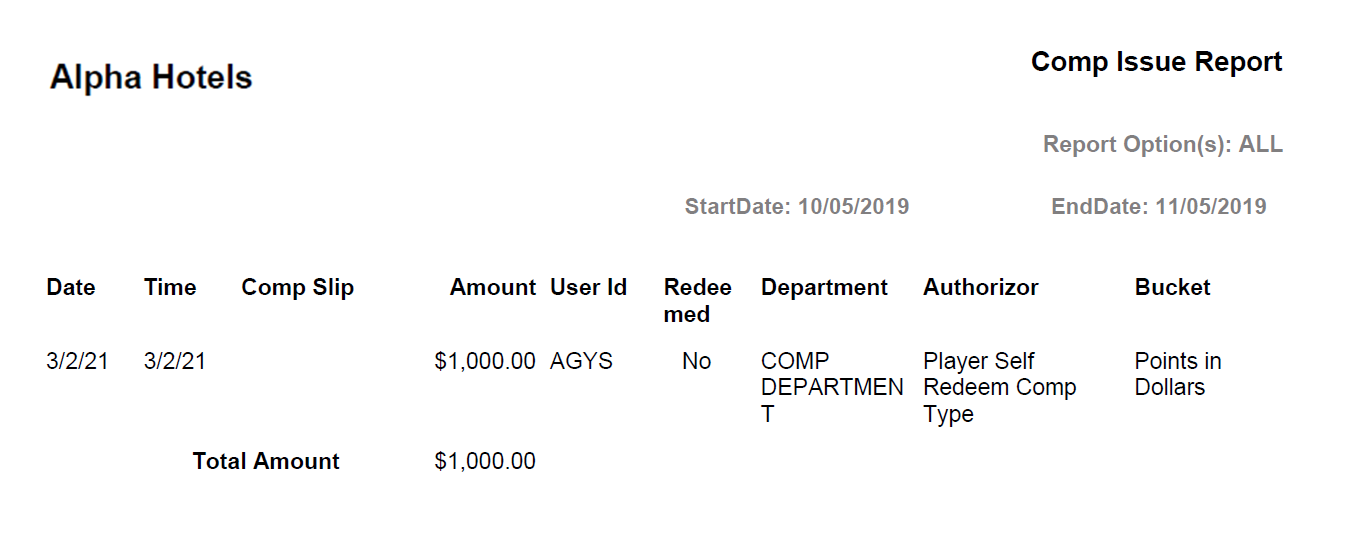
Report Fields
|
Field |
Description |
|---|---|
|
Date |
The date on which the comp was issued. |
|
Time |
The time at which the comp was issued. |
|
Comp Slip |
The comp slip number that is generated by CMS is displayed. |
|
Amount |
The comp redemption amount. |
|
User ID |
The user ID of the user who has performed the comp issue. |
|
Redeemed |
Shows Yes if the comp redemption is success else No. |
|
Department |
The department that authorized the comp transaction. |
|
Authorizer |
The name of the authorizer associated with the comp transaction. |
|
Bucket |
The bucket is displayed. Example: Points in $, Comp in $, Comp Slip. |
|
Total Amount |
Sum of all the amounts. |